EUDR ERP Integration with Microsoft Dynamics: A Compliance Buyer’s Guide
Published
, 8 minute read
Share this article
Quick summary: EUDR ERP integration with Microsoft Dynamics connects Dynamics 365 to plot geolocation, DDS, and TRACES. See how to close the compliance gap.
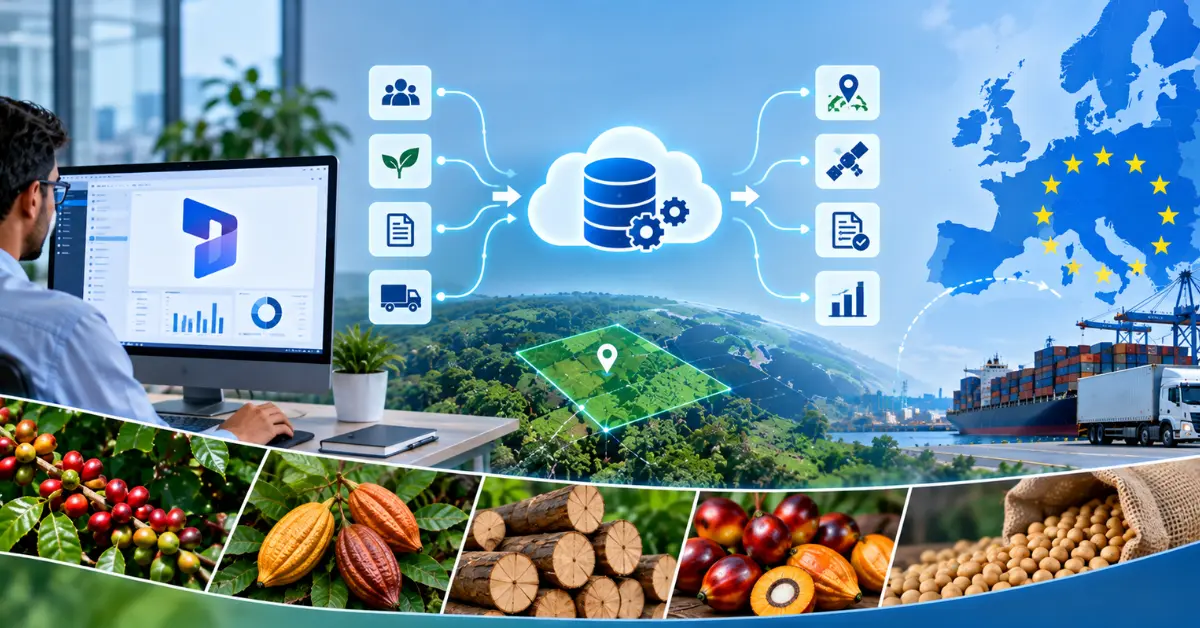
EUDR ERP Integration with Microsoft Dynamics connects your Dynamics 365 environment to a deforestation due diligence system so that plot-level geolocation, Due Diligence Statements (DDS), and the TRACES submission run against the same supplier and product records you already manage. Dynamics stays the transaction backbone. A dedicated compliance layer owns the evidence that the EU Deforestation Regulation (Reg. (EU) 2023/1115, as amended by Reg. (EU) 2025/2650) demands from 30 December 2026.
Key takeaways
Microsoft Dynamics is a system of record, not a system of compliance. It stores transactions well but was not designed to hold geolocation polygons, DDS references, or a defensible risk assessment.
A working EUDR ERP Integration with Microsoft Dynamics keeps Dynamics as the master for suppliers and orders while a compliance layer generates and files the DDS through TRACES.
Custom fields and spreadsheets bolted onto Dynamics create an audit liability, not an audit trail.
The application date is 30 December 2026 for large and medium operators; the data collection work should start now, not at the deadline.
December 2026 is approaching. Is your supply chain actually ready?
Move from spreadsheets and fragmented supplier data to a traceable, audit-ready EUDR workflow with TraceX.
What EUDR ERP Integration with Microsoft Dynamics Means
EUDR ERP Integration with Microsoft Dynamics is the practice of wiring your Dynamics 365 platform to a due diligence workflow so that in-scope purchases carry deforestation evidence from the first supplier record to the final customs filing. The EUDR covers seven commodities and their derived products: cattle, cocoa, coffee, oil palm, rubber, soya, and wood. For every relevant consignment, an operator must hold the geographic coordinates of the plots of production, prove the goods are deforestation-free against the 31 December 2020 cut-off, and submit a DDS through the EU Information System (TRACES).
Dynamics 365 already holds most of the commercial context: the vendor, the purchase order, the item, and the quantity. What it does not hold, out of the box, is the compliance evidence attached to each of those lines. A well-designed EUDR ERP Integration with Microsoft Dynamics closes that gap without forcing your buyers to work in two disconnected systems.
Learn how EUDR ERP integration can connect your existing enterprise systems with the data and workflows needed to operationalize compliance.
Why EUDR ERP Integration with Microsoft Dynamics Fails Without a Compliance Layer
Because Dynamics was built to move transactions, not to defend evidence to a competent authority.
Most teams attempt EUDR ERP Integration with Microsoft Dynamics by adding custom fields to the vendor and product tables: a text box for coordinates, a checkbox for “deforestation-free,” an attachment slot for a certificate. This feels efficient and fails three tests that an auditor applies. First, a free-text coordinate field cannot validate that a polygon is well-formed or that it falls outside a protected area. Second, a checkbox records a claim but not the risk assessment behind it, which the regulation requires you to document and retain. Third, a certificate attachment is not a DDS; certifications such as FSC and RSPO support risk mitigation but do not replace the geolocation, due diligence, and plot-level evidence obligations under the EUDR.
The result is a system that looks compliant in a demo and collapses under an information request. A durable EUDR ERP Integration with Microsoft Dynamics therefore separates two jobs: Dynamics remains the source of truth for who you buy from and what you buy, while a compliance layer owns the geospatial data, the risk logic, the DDS generation, and the TRACES handshake. The two stay in sync so a buyer never leaves Dynamics to do the commercial work.
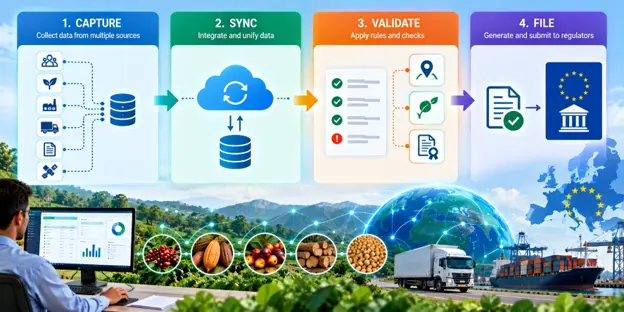
Treat Dynamics 365 as the system of record and TraceX EUDR Solutions as the system of compliance. TraceX platform captures and validates plot geolocation, runs the deforestation and legality risk assessment, and generates the DDS for submission to TRACES, then writes the DDS reference back to the Dynamics purchase line . Under Reg. (EU) 2025/2650, only the first downstream operator collects the DDS reference number; the integration should capture that reference at the right point in the chain rather than push it to every record.
How EUDR ERP Integration with Microsoft Dynamics Works in Practice
A production-grade EUDR ERP Integration with Microsoft Dynamics runs across three sync points, each mapped to a Dynamics object your team already uses.
Supplier and plot onboarding
When a vendor is created or updated in Dynamics 365, the integration pushes that record to the compliance layer and requests plot coordinates and legality documents from the supplier. Geolocation is validated on capture, not on submission, so bad polygons are caught early. This is the longest-lead part of any EUDR ERP Integration with Microsoft Dynamics, which is why supplier data collection should begin well ahead of the 30 December 2026 date.
Purchase and risk assessment
As purchase orders and receipts post in Dynamics, the compliance layer links each in-scope line to the relevant plots and runs the risk assessment. High-risk lines are flagged back into the Dynamics workflow for review before goods move. This keeps the EUDR ERP Integration with Microsoft Dynamics inside the buyer’s normal screen rather than in a side spreadsheet.
DDS generation and TRACES submission
When evidence is complete, the compliance layer generates the DDS and submits it to TRACES, then writes the DDS reference number back to the Dynamics transaction. That reference travels with the commercial record, so finance, logistics, and compliance all read from one place. A mature EUDR ERP Integration with Microsoft Dynamics logs every step for the audit trail the regulation expects you to retain.
Discover how EUDR interoperability can connect these systems, reduce data silos, and create a more consistent compliance workflow from supplier to DDS.
EUDR ERP Integration with Microsoft Dynamics: Build In-House vs Buy a Compliance Layer
Some teams ask whether they can deliver EUDR ERP Integration with Microsoft Dynamics with internal Power Platform work alone. The table below compares the two paths against what an auditor actually checks.
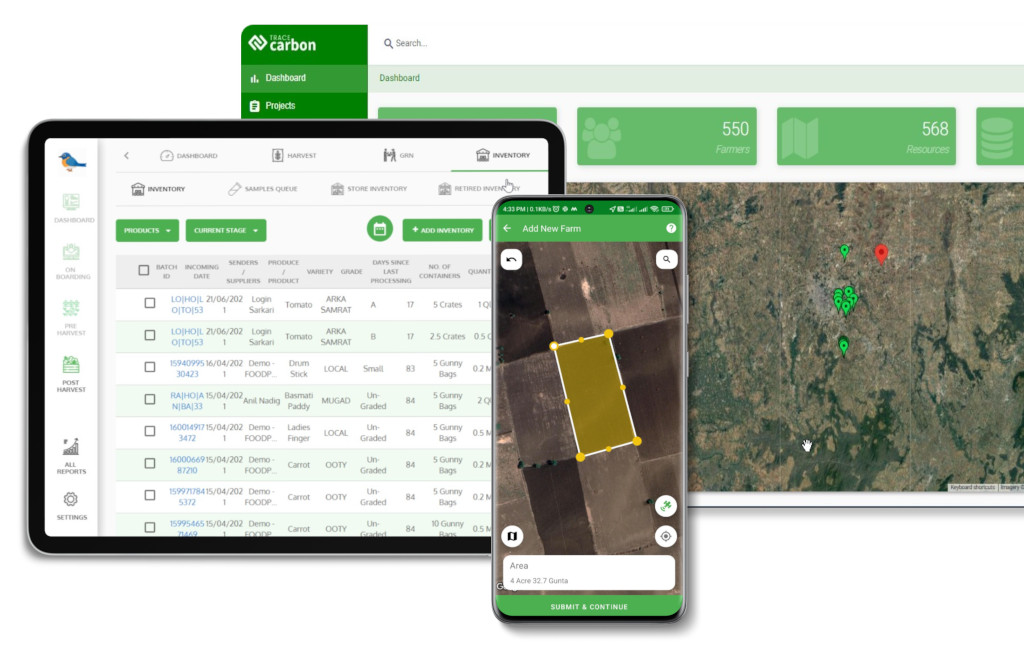
TraceX complements Microsoft Dynamics by acting as an EUDR compliance layer rather than replacing the ERP. While Microsoft Dynamics manages core business transactions such as suppliers, purchase orders, materials, inventory, batches, and shipments, TraceX EUDR Solutions connects this data with the source-level information EUDR requires, including farm or plot geolocation, production data, deforestation and legality assessments, supporting evidence, risk assessment, and end-to-end traceability. Through integration with Dynamics, TraceX can connect Supplier → Source Plot → Procurement → Batch → Shipment → Risk & Evidence → DDS, helping enterprises turn existing ERP data into an operational, traceable, and audit-ready EUDR compliance workflow.
To see plot capture, risk assessment, and DDS-to-TRACES filing run against your Dynamics 365 records
Validated polygons on capture [pending product-team sign-off]
Deforestation risk assessment
Manual, undocumented
Automated and logged [pending product-team sign-off]
DDS generation and TRACES filing
Not supported natively
Generated and submitted to TRACES [pending product-team sign-off]
DDS reference back to purchase line
Manual copy-paste
Written back automatically [pending product-team sign-off]
Audit trail retention
Fragmented across fields and files
Single, time-stamped record [pending product-team sign-off]
How to Choose an EUDR ERP Integration with Microsoft Dynamics
When you evaluate an EUDR ERP Integration with Microsoft Dynamics, score each vendor against the checklist below. If a vendor cannot demonstrate the first four items live, treat the rest as marketing.
Bidirectional sync: Does the DDS reference number write back to the Dynamics 365 purchase line, not just forward from Dynamics?
Geolocation validation: Are plot polygons validated on capture, with checks against protected areas and the 31 December 2020 cut-off?
TRACES submission: Does the tool file the DDS directly to the EU Information System, or hand you a file to upload manually?
Documented risk assessment: Is the risk logic retained as evidence you can show a competent authority?
Chain-of-custody handling: Does it respect that the first downstream operator collects the DDS reference, per Reg. (EU) 2025/2650?
Deployment fit: Does it support your Dynamics 365 version and your commodity mix without heavy custom code?
Frequently Asked Questions
Does Microsoft Dynamics support EUDR compliance out of the box?
No. Dynamics 365 stores suppliers, orders, and items, but it does not natively capture validated plot geolocation, run a deforestation risk assessment, generate a DDS, or file to TRACES. An EUDR ERP integration with Microsoft Dynamics adds a compliance layer that handles those obligations while Dynamics remains the transaction system of record.
When does EUDR apply?
Under Reg. (EU) 2025/2650, the EUDR applies from 30 December 2026 for large and medium operators and traders, and from 30 June 2027 for micro and small operators. The deforestation cut-off date is 31 December 2020. Because supplier data collection takes months, most teams begin integration work well before the application date.
Which commodities does the EUDR cover?
Cattle, cocoa, coffee, oil palm, rubber, soya, and wood, plus many products derived from them. Tea is not an EUDR commodity. Confirm the exact codes for your products, as the Commission may adjust the product scope.
Do FSC or RSPO certificates replace a DDS?
No. Certifications such as FSC and RSPO can support risk mitigation, but they do not replace the geolocation, due diligence, and plot-level evidence obligations. You still need to generate and submit a DDS.
Who collects the DDS reference number in the chain?
Under Reg. (EU) 2025/2650, the first downstream operator collects the DDS reference number; it is not passed on to every operator further down the chain. Your integration should capture that reference at the correct point rather than duplicate it everywhere.
Can we build the integration with Power Platform alone?
You can build parts of it, but custom fields and flows rarely satisfy geolocation validation, documented risk assessment, and direct TRACES filing. Most teams pair Dynamics 365 with a dedicated compliance layer to meet the audit standard.
How long does an EUDR ERP integration with Microsoft Dynamics take to stand up?
The build itself is not the bottleneck; supplier and plot data collection is. Start onboarding suppliers early so evidence is ready before purchases need a DDS.
Start using TraceX
Transparency, Trust, & Success for your Climate Journey.
We use cookies on our website to give you the most relevant experience by remembering your preferences and repeat visits. By clicking “Accept All”, you consent to the use of ALL the cookies. However, you may visit "Cookie Settings" to provide a controlled consent.
This website uses cookies to improve your experience while you navigate through the website. Out of these, the cookies that are categorized as necessary are stored on your browser as they are essential for the working of basic functionalities of the website. We also use third-party cookies that help us analyze and understand how you use this website. These cookies will be stored in your browser only with your consent. You also have the option to opt-out of these cookies. But opting out of some of these cookies may affect your browsing experience.
Necessary cookies are absolutely essential for the website to function properly. These cookies ensure basic functionalities and security features of the website, anonymously.
Cookie
Duration
Description
cookielawinfo-checkbox-analytics
11 months
This cookie is set by GDPR Cookie Consent plugin. The cookie is used to store the user consent for the cookies in the category "Analytics".
cookielawinfo-checkbox-functional
11 months
The cookie is set by GDPR cookie consent to record the user consent for the cookies in the category "Functional".
cookielawinfo-checkbox-necessary
11 months
This cookie is set by GDPR Cookie Consent plugin. The cookies is used to store the user consent for the cookies in the category "Necessary".
cookielawinfo-checkbox-others
11 months
This cookie is set by GDPR Cookie Consent plugin. The cookie is used to store the user consent for the cookies in the category "Other.
cookielawinfo-checkbox-performance
11 months
This cookie is set by GDPR Cookie Consent plugin. The cookie is used to store the user consent for the cookies in the category "Performance".
viewed_cookie_policy
11 months
The cookie is set by the GDPR Cookie Consent plugin and is used to store whether or not user has consented to the use of cookies. It does not store any personal data.
Functional cookies help to perform certain functionalities like sharing the content of the website on social media platforms, collect feedbacks, and other third-party features.
Performance cookies are used to understand and analyze the key performance indexes of the website which helps in delivering a better user experience for the visitors.
Analytical cookies are used to understand how visitors interact with the website. These cookies help provide information on metrics the number of visitors, bounce rate, traffic source, etc.
Advertisement cookies are used to provide visitors with relevant ads and marketing campaigns. These cookies track visitors across websites and collect information to provide customized ads.
Download the 2026 Traceability Scorecard and Benchmark Your Supply Chain Across 10 Critical Capabilities.
Download our eBook
Don’t Wait for an Audit to Find Your EUDR Gaps
The 2026 Simplification Package changes how HS codes, DDS pass-through and geolocation rules apply to you. Get the free guide and 20-point readiness checklist before enforcement catches you unprepared.